
Recruiting & employing workers
Free job posting, recruitment and hiring at the click of a button · for employers.
Read moreWe use essential cookies to make the site work. With your consent, we also use measurement and advertising cookies from Google and Microsoft to understand how the site is used, improve it and measure our advertising. We never sell your data.
You can change your choice at any time via “Cookie settings” at the bottom of every page.

Log in to your account, or sign up in a minute.
Pick whatever works for you · we're here.
Everything about NETO · transparent and available
Pick a convenient time · we'll confirm by phone/email
Want to pay a temp worker, a temporary employee or a freelancer · and receive a proper tax invoice in return, with no employer-employee relationship and no files to open? We've gathered every question employers ask · how to sign up, what it costs, how attendance and security work, and what happens with the worker's social rights.
This FAQ covers what an employer needs to know about paying a temp worker or freelancer through NETO against a proper tax invoice. The setup works with no employer-employee relationship and minimal bureaucracy, while attendance and social rights are still handled. It walks through sign-up, workflow, cost, and payment methods in three steps. The page also contrasts NETO with a traditional manpower company.
How does an employer pay a worker or freelancer through NETO?
The employer picks the worker or freelancer and approves the work terms and pay · NETO onboards the worker under manpower-contractor license #1565, issues them a payslip with all statutory social rights, and reports to the authorities. In return the employer receives a proper tax invoice · with no employer-employee relationship and no bureaucracy. The full cost is shown up front in the “salary simulation”.
From the first actions through to payment · the whole process is digital, and shown to you up front with no surprises:
Define the role, the position and the hours · the system finds suitable candidates and shows the top three. You can also view additional candidates and their CVs.
The worker approves the work terms and pay · before you approve, you see an accurate payslip simulation with all terms and the final cost, including the employer commission.
NETO issues the worker a payslip with all rights and reports to the authorities · and you receive a proper tax invoice. No employer-employee relationship and no handling of deductions.
Two minutes that show exactly what happens from signup to payslip · before you commit to anything.
Sign up as an employer, choose the field and relevant role, offer a full- or part-time position and the working hours, define an area · and the system begins recruiting a potential worker. Didn't find one · didn't pay. To register as an employer: employer sign-up.
The system finds the candidates matching your requirements and shows the top three at different rating levels. If one of them suits you · you invite them to continue the deal-closing process.
The worker approves the work terms and pay · and the recruitment is behind you. From there NETO handles onboarding, the payslip and the reporting.
If the worker goes on leave, falls ill or in any other case · they report it in the system under the “Notifications” tab along with the relevant confirmation, and it updates the payslip and the calculation.
In the “Worker search” tab you can specify the number of workers you want, and the system recruits accordingly.
Click “Show details” to see a CV, an intro video, a worker photo and a few personal words. NETO shows the top three matches · and the rest can be seen under “Show more candidates”. Your company logo is set in the “Personal profile”.
The service cost is a commission on the total employer cost · with no subscription fee and no connection or disconnection fees. Everything is shown up front in the “salary simulation”, so you know the final amount before you approve:
The charge is a commission on the total employer cost · which includes both recruitment and employment, with no subscription fee and no connection or disconnection fees. The final amount, including the employer commission, is shown in the “salary simulation” before you approve.
Payment is secured via credit card · to guarantee the worker receives their pay. A standing-order option is also available for government bodies and large companies only.
You can contact the collections department to check which options suit you. The standing-order option is reserved for government bodies and large companies. Reach us at 08-976-1874 or neto@neto.work.
Once a week NETO collects the employer's payment · and the credit line is held according to the scope of employment.
NETO acts as a full manpower company that puts your interest as a client first. You receive permissions for every action in the system, can set up an “authorized worker” and manage the workers' time clock yourself · control stays with you.
On first entry the worker completes “employer verification and identification” by presenting an ID. After that the system allows attendance reporting only from the workplace · via location verification · or from a radius you define.
NETO shows an accurate payslip simulation that includes the worker's full pay calculation with all terms and benefits · before you approve the employment.
The worker is onboarded as a NETO employee, and NETO is responsible for the payslip, the rights and the reporting to the authorities. You receive a tax invoice for the service · and do not become the worker's direct employer. More on our manpower-contractor license page.
What an employer gets working with NETO versus a traditional track:
| Topic | NETO | Traditional track |
|---|---|---|
| Recruitment | Free, digital, one click | Involves cost and time |
| Service cost | Transparent commission, no subscription | Commitments and management fees |
| Employer-employee relationship | None · you get a tax invoice | Depends on the arrangement |
| Cost transparency | Salary simulation up front | Usually not shown in advance |
| Attendance management | Independent time clock in-system | Manual or external |
| Worker social rights | Full · handled by NETO | Handled by the contractor |

NETO operates under manpower-contractor license #1565 and Ministry of Labor supervision, with orderly deduction files at the Income Tax Authority and the National Insurance Institute · so every payment to a worker is made lawfully, and the employer receives a clean tax invoice.
That's how it works in practice too: paying temporary workers at the click of a button or a freelancer invoice without a file · you get an invoice and NETO handles everything else with the worker and the authorities.
NETO is a digital platform under manpower-contractor license #1565 · that lets you pay a temp worker, a temporary employee or a freelancer and receive a proper tax invoice in return. NETO onboards the worker, issues a payslip with all rights and reports to the authorities · with no employer-employee relationship and no bureaucracy.
A commission on the employer cost, with no subscription fee and no connection or disconnection fees · everything is shown up front in the “salary simulation” including the employer commission, so the final cost is known before you approve.
No. The worker is onboarded as a NETO employee (a licensed manpower contractor), NETO issues the payslip and handles the rights · and you receive a tax invoice for the service only.
You receive full permissions in the system and manage the time clock yourself. The worker reports attendance only from the workplace via location verification · or from a radius you define.
Payment is secured by credit card, to guarantee the worker's pay. A standing order is available for government bodies and large companies only. No credit card? Reach us at 08-976-1874.
We're happy to help · call 08-976-1874, email neto@neto.work or message us on WhatsApp.
Sign up as an employer and start recruiting and paying · and if you have a question, we're here by phone, email or WhatsApp.
Free job posting, recruitment and hiring at the click of a button · for employers.
Read morePay a permanent or temp worker · get an invoice and NETO handles the rest.
Read more
Managing and employing workers via outsourcing · under a manpower license.
Read more
The government license behind the service · what it requires and why it matters.
Read more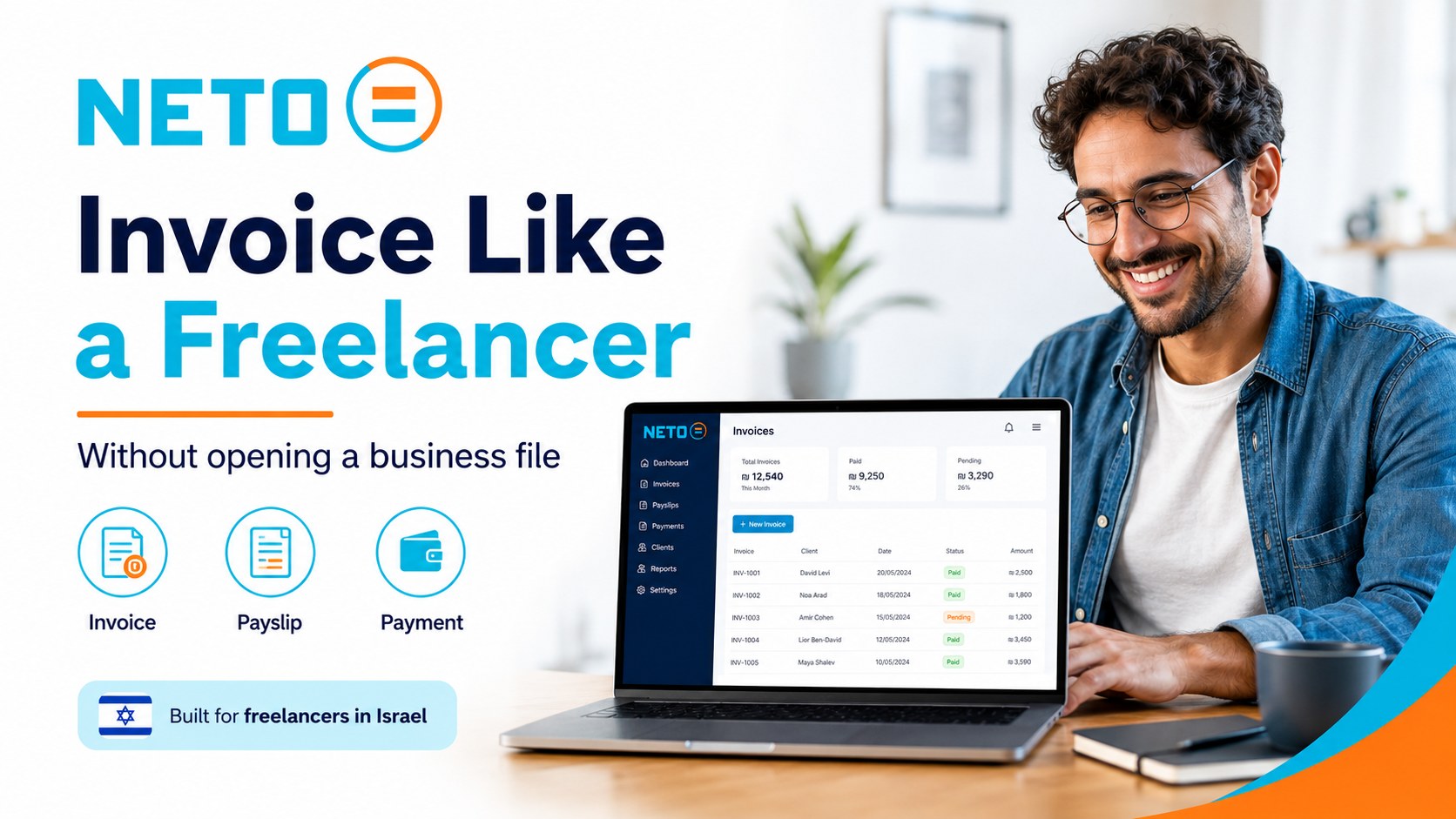
The lawful way to pay a freelancer · they get a payslip and you get a tax invoice.
Read more
Who we are, the license, the team and the vision · the simple lawful way to employ and pay.
Read moreFree job posting, recruitment and hiring at the click of a button · for employers.
Read morePay a permanent or temp worker · get an invoice and NETO handles the rest.
Read moreManaging and employing workers via outsourcing · under a manpower license.
Read moreThe government license behind the service · what it requires and why it matters.
Read moreThe lawful way to pay a freelancer · they get a payslip and you get a tax invoice.
Read moreWho we are, the license, the team and the vision · the simple lawful way to employ and pay.
Read more YC
YCEvery section, organized by topic. Browse the full hierarchy or jump straight in.
Adjust the site to your needs
Here you can ask to see the data we hold about you, correct it, delete it, withdraw consent you gave, or stop receiving our emails and alerts. We reply within 30 days, and handle removal requests within 7 business days. Privacy policy
Barkat I.T Ltd · trading as NETO · is a licensed manpower company (license 1565), supervised by the Israeli Ministry of Labor.
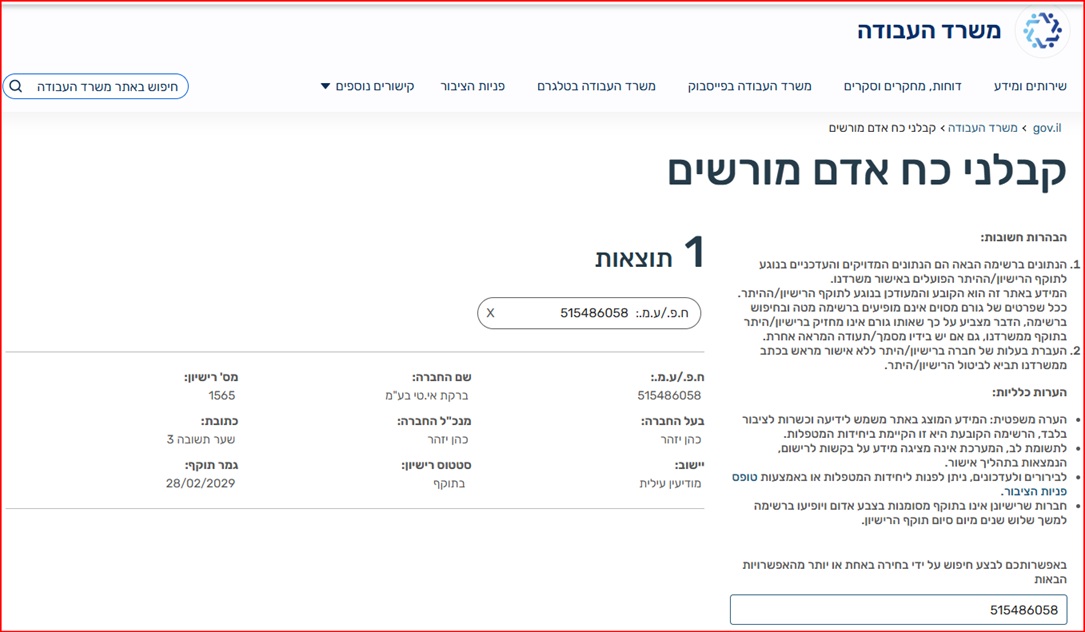 Verify the license on the Ministry of Labor website
Full details · Manpower contractor license page →
Verify the license on the Ministry of Labor website
Full details · Manpower contractor license page →